Publication Process
Newsmind Stories enables publishing social media posts in two phases: a preparation phase, where an object representing the social media post is created in the Plan API, and a publication phase, where the created object is pushed to the social media provider.
Preparation phase
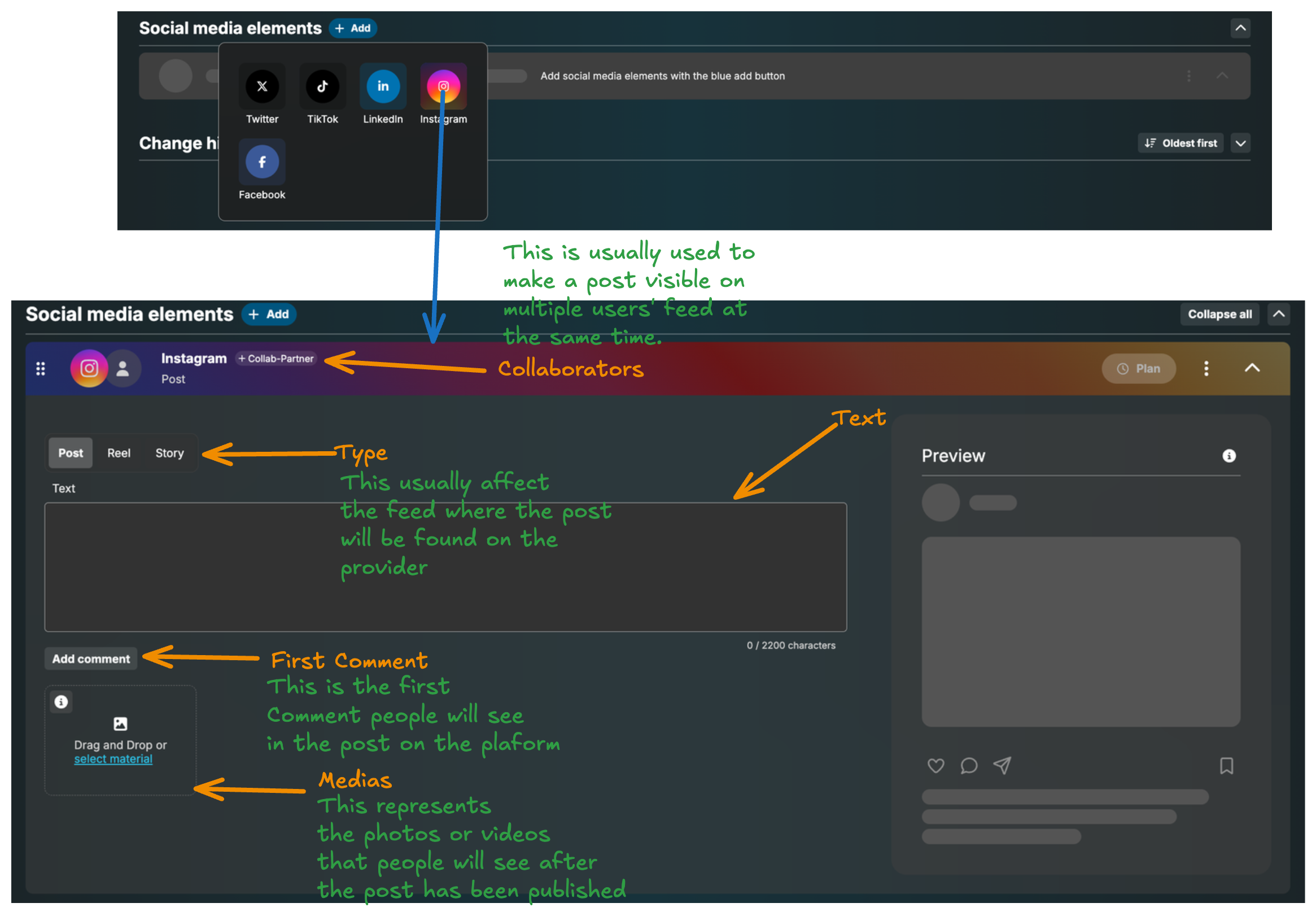
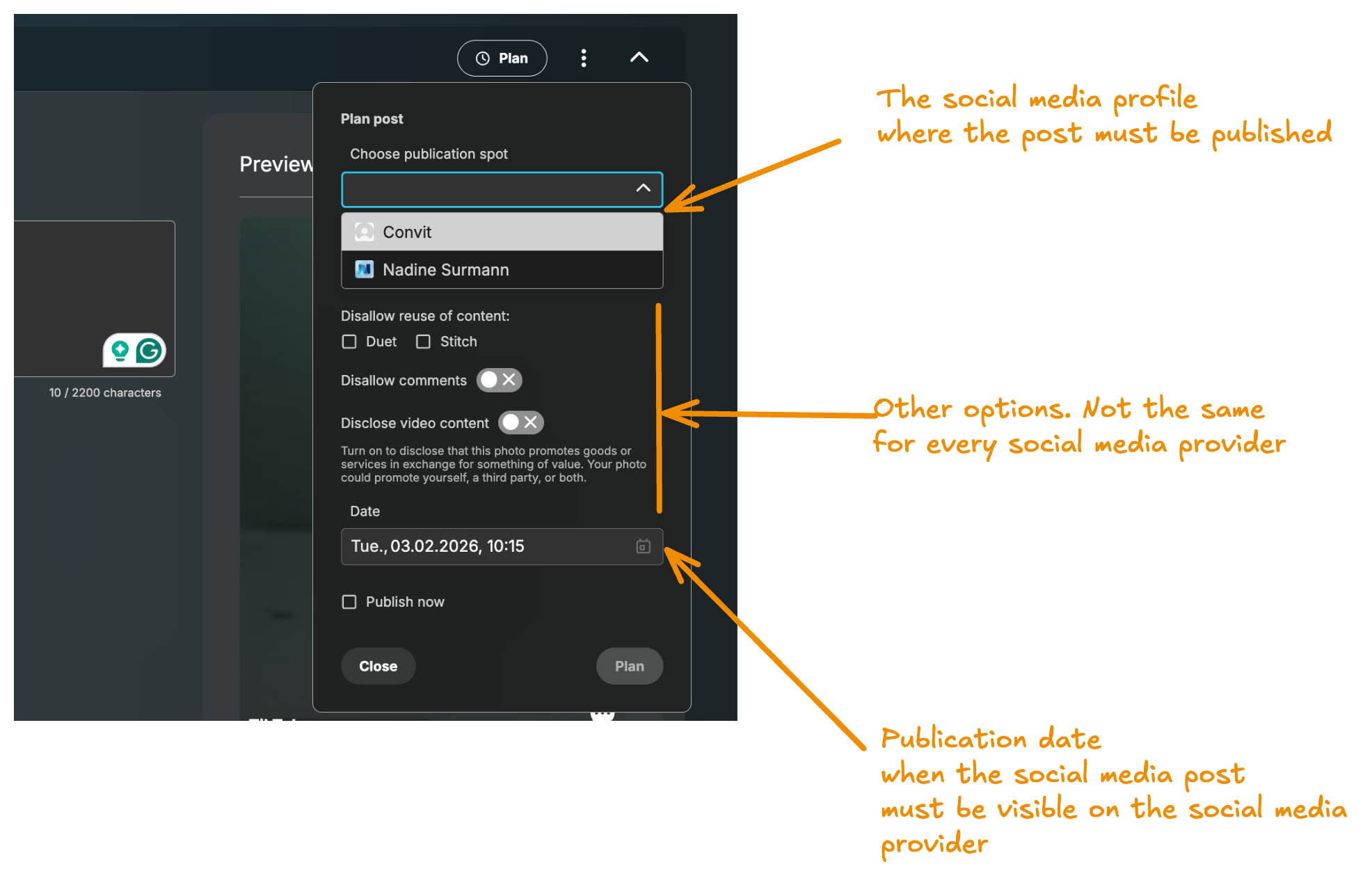
During the preparation phase, the user creates a content object that holds the post properties: text, title, media (photos, videos), type, etc. After updating the social media post attributes, the preparation phase also includes defining the publication date, channel, and other details.
Publication phase
Up to this point there has been no interaction with the Social Media Service. All content objects and publications are stored in the Plan API.
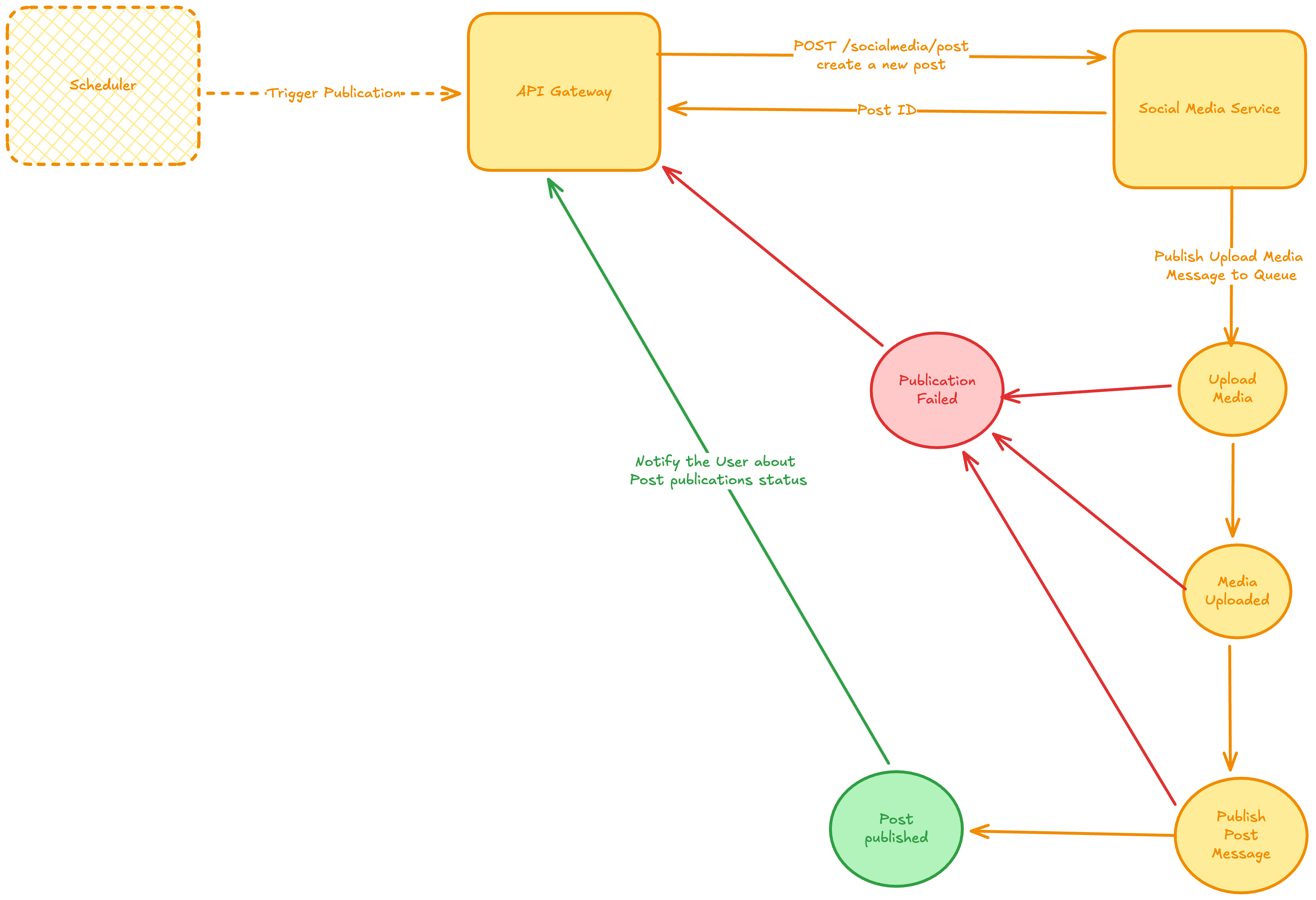
When the scheduler starts the delivery process, it sends a request to the API Gateway with the publication ID to be delivered. The API Gateway then extracts all the post properties associated with the content object to be published, creates a post request, and sends it to the Social Media Service. The Social Media Service immediately returns the ID of the newly created post, which has not yet been published on the provider platform. The API Gateway adds the ID of the created post to the publication's export IDs, enabling searching for the publication associated with a given post ID.
The actual delivery of a publication on a platform is implemented asynchronously in the Social Media Service. For every post, the service uses five different events to process it from creation to actual delivery:
- UploadMedia — uploads the different media of a post to the expected social media provider.
- MediaUploaded — after uploading multiple media items, the provider usually returns an ID for each item. This ID is necessary for the actual publication of the post.
- PublishPost — at this point everything has already been prepared on the provider to make the post available to an audience, sometimes specified by a privacy level attribute on the post.
- PostPublished — if the publication is successful, this message is published with the permalink of the post. The Social Media Service then notifies the user via the API Gateway. Every valuable piece of information produced by the provider is stored in a context object on the notification message sent to the API Gateway.
- PostFailed — if there is an error processing any previous message, a
PostFailedmessage is published. The Social Media Service extracts the information from the message and sends it to the user via the API Gateway.
Limitation for large videos
While the process described above has been successful for Instagram, Facebook, LinkedIn, X and TikTok, it has a major limitation when applied to YouTube videos due to the size of the media to be published. YouTube is used for long videos. These videos are large and therefore require longer processing time. If a user wants a video published at time T, and processing starts exactly at T, the video will only be available on YouTube at T + D, where D is the time needed to upload the video. For critical content, this delay is not acceptable.
YouTube publication
To mitigate the high delay issue with YouTube videos, the following approach is used for long videos.
Preparation
Unlike other social media providers, the preparation phase already interacts with YouTube:
- The user decides upfront on the channel they want to publish to.
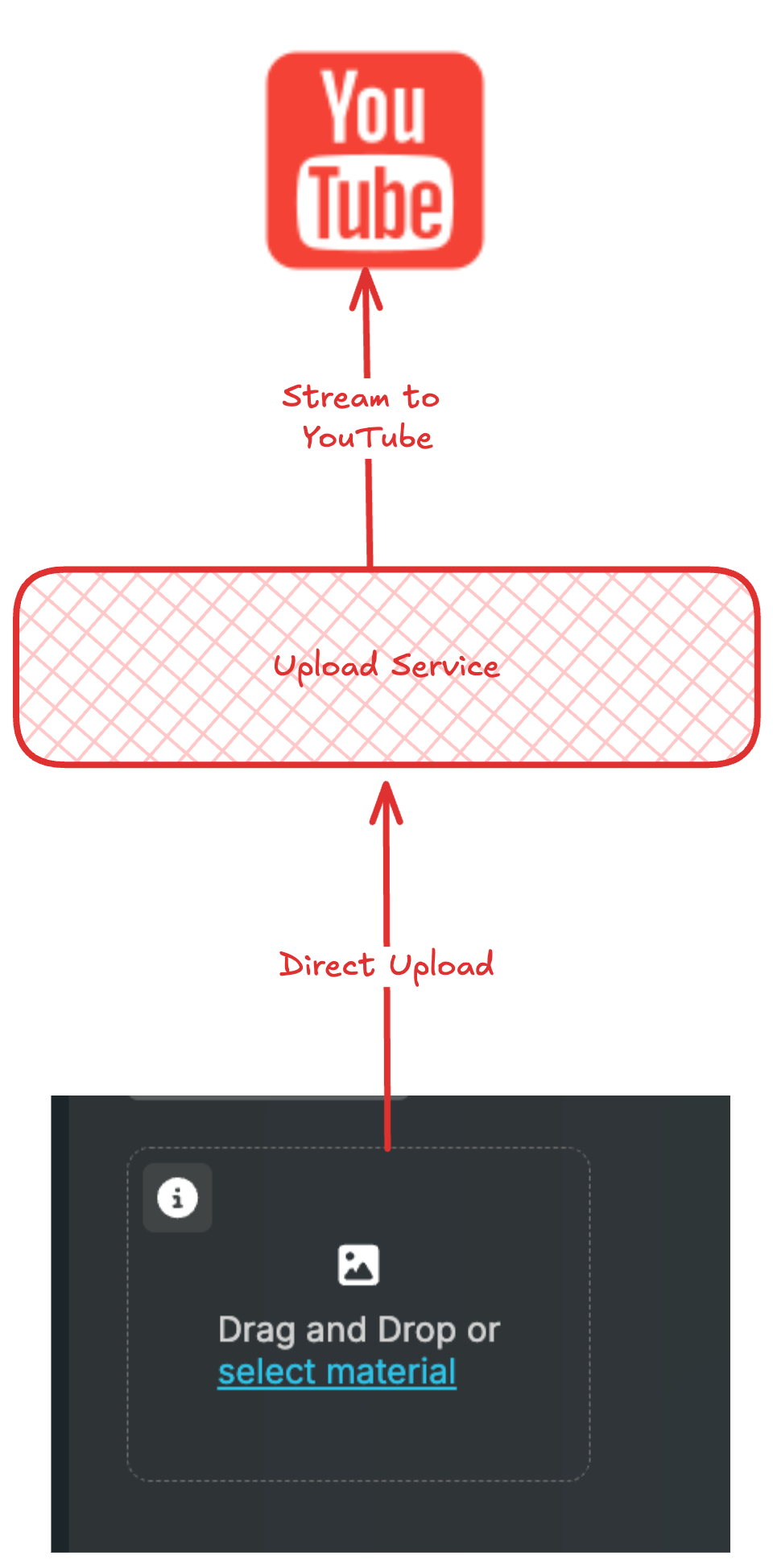
- The user chooses the video they want to publish. When the video is selected it is uploaded directly to YouTube using the access token for the selected YouTube channel. The uploaded video has private visibility, meaning it is only visible to the channel administrators. After the upload, a reference to the video is stored as material in the story of the content object representing the YouTube post, and the uploaded video's ID is stored in the content object.
Publication phase
After planning the delivery of a YouTube post, the scheduler is triggered at the planned time. The Social Media Service does nothing for the UploadMedia and MediaUploaded messages. For the PublishPost message, the Social Media Service ensures that all video attributes are synchronized with YouTube: based on the uploaded video ID it updates the title, description and other accessible attributes. Finally, it changes the video's visibility from private to public, making it accessible to everyone on YouTube. If there is an error updating the video attributes on YouTube, a PostFailed message is published and the user is notified.
To implement the YouTube workflow, a new microservice optimized for byte transfer is required. Using the Social Media Service directly for the upload could significantly overload it. Based on research, the language offering the best performance for this task is Go. Python is also an interesting candidate: the Media Analysis Service is implemented in Python and also handles bytes, so a single service handling both could simplify the infrastructure.
Publication flow
- A user chooses the video they want for their YouTube post.
- The frontend makes an initial call to the upload service to get a
resumable session URI, used to resume the upload in case of an interruption. - The frontend makes a subsequent call to the upload service, providing the
resumable session URIas theX-Session-Upload-URIheader. - Once the upload is done, the upload service returns an object containing the uploaded video's
IDandpermalink. - The frontend uses the
permalinkto show a preview of the uploaded video as aniframe. - All data received from the upload service is persisted in the YouTube content object by the frontend. Every other change, like the video's title, description and tags, is directly persisted in the YouTube content object.
- When the user is done, they create a publication.
- The Plan API creates a task in the Scheduler Service.
- At the scheduled publication time, the task calls the API Gateway, which constructs the YouTube post payload by reading the associated content object.
- The API Gateway calls the Social Media Service to create the post.
- The Social Media Service ensures that the title, description, hashtags and other video properties are set correctly on the uploaded YouTube video, then makes the video public to all YouTube users.