Provider Setup Template
This page provides a template that every developer working on integrating a new provider in the Social Media Service should fill out and add to the page of the release that pushes the integrated provider to production.
Creation of the developer app
The first step is to explain how to create a developer app for the new provider. Giving information about the rate limit is crucial: it helps customers plan how to use their resources.
- Necessary steps to create the app on the provider.
fill text here… - Information about rate limits.
fill text here…
Profile definition
The application relies on the concepts of accounts and profiles. An account represents the connection point with a provider. There is a one-to-one relationship between a provider account and an account in our database. Accounts are defined the same way for all providers. However, each provider has a different way of defining profiles.
For example, for the Instagram provider an account represents a Facebook account while a profile represents an Instagram business account. For the LinkedIn provider an account represents a LinkedIn account while a profile represents the list of LinkedIn pages over which the account has admin rights; the connected LinkedIn account also represents the default profile. Defining precisely what a profile represents for every new provider is therefore essential.
fill text here…
How to create an account and optionally a profile
Describe precisely, with documentation references, how to create an account and, optionally, a profile that can be used to make publications.
fill text here…
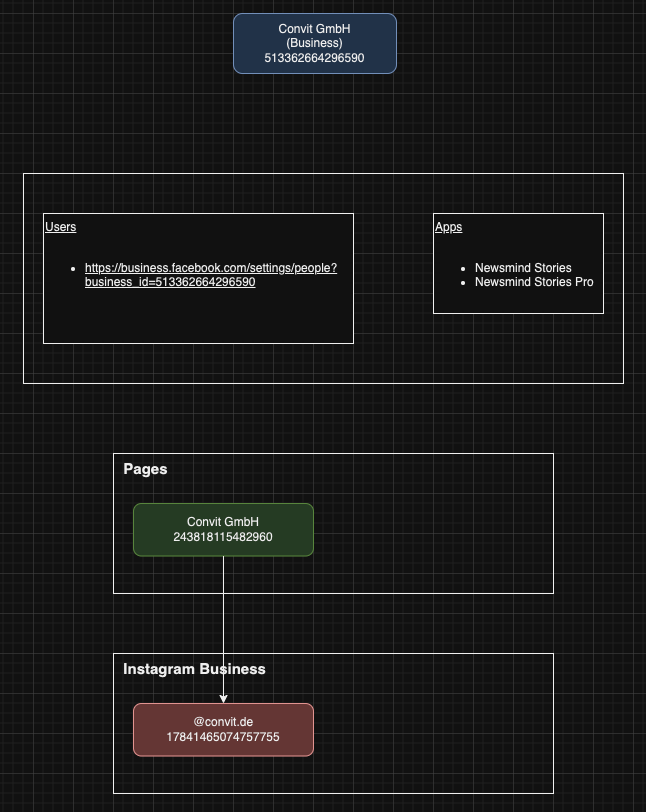
For development: asset management
The goal of this section is to provide a list of all assets created during the integration of a specific provider, so they can be tracked.
How to move an app to production
The last essential piece of information about each provider is how to move from development to production. This step sometimes requires many configurations, a lot of back-and-forth between our company and the provider's support, and a long time. Describe what is needed and provide all the necessary information to kick off the app's activation process.